Date
Votes
2 comments
-

Clark Labs Official comment I have seen this once before. I can't remember why LCM is expanded in width like that. It is not supposed to do that. I have vague thoughts of it being related to an unusual display set-up, but I can't remember.
To solve your immediate problem, you can collapse (minimize) LCM by clicking on the "-" sign in the top-left corner of the LCM panel. Then there will be space for things to display and you will be able to see what is already displayed.
You could also close LCM, save your current LCM session/project, and try reopening it to see if it opens normally (not expanded).
-

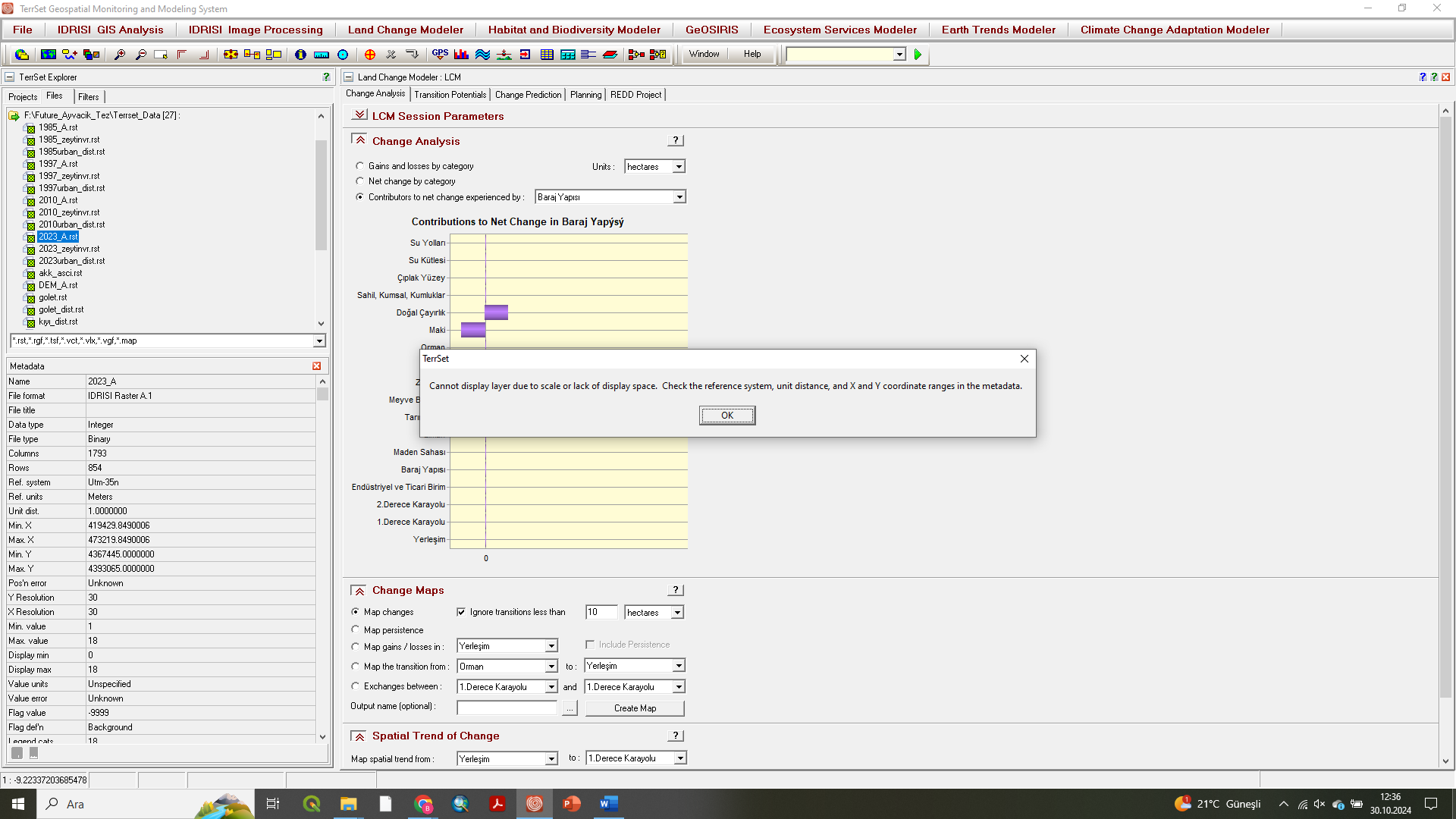
Berivan EREN Hello, I was doing my analysis with Terrset and suddenly an error like this occurred. I can't see any of my maps that I just saw and I can't create a new map because of this problem. Can you help me solve it?
"Cannot display layer due to scale or lack of display space. Check reference system, unit distance, and X Y coordinate rangers in metadata"
Please sign in to leave a comment.